Want to be among leading engineers testing IPv6 protocol by disabling IPv4 completely for your PC or laptop but keeping access to obsoleted IPv4 based Internet?
That's pretty simple and can be accomplished by using NAT64.
I'll use Debian 12 on my SBC board as server and Ubuntu 22.04 as client.
First of all you will need to install your own Recursive DNS server. You may use cloud DNS offerings for NAT64 but you still need server for NAT translations and there are no reasons to leak your personal browsing to companies and countries with weak data protection policies.
I used Unbound for my setup and you can use any other guide.
To enable DNS64 you just need to make few configuration changes for module config:
module-config: "dns64 validator iterator"
And then manually add prefix for DNS64:
# DNS64 prefix for NAT64:
dns64-prefix: 64:ff9b::/96
Then you need to install Tayga and configure it.
Install is simple:
sudo apt install -y tayga
Configuration is relatively easy too:
sudo vim /etc/tayga.conf
And then add following (you will need to replace xx by actual IP addresses of your NAT64 server):
tun-device nat64
# TAYGA's IPv4 address
ipv4-addr 192.168.1.xx
# TAYGA's IPv6 address
ipv6-addr XXXX
# The NAT64 prefix.
prefix 64:ff9b::/96
# Dynamic pool prefix, not clear what is it
dynamic-pool 192.168.255.0/24
# Persistent data storage directory
data-dir /var/spool/tayga
Then apply configuration and enable auto-start:
sudo systemctl restart tayga
sudo systemctl enable tayga
This machine will work as router and we will need to enable forwarding for Linux kernel:
echo -e "net.ipv4.ip_forward=1\nnet.ipv6.conf.all.forwarding=1" | sudo tee /etc/sysctl.d/98-enable-forwarding.conf
And then apply these changes:
sudo sysctl --system
Then create iptables rules for NAT:
sudo iptables -t nat -A POSTROUTING -o nat64 -j MASQUERADE
sudo iptables -t nat -A POSTROUTING -s 192.168.255.0/24 -j MASQUERADE
Then I can recommend installing iptables-persistent. It will ask you to save your current confdiguration into file and you will need to confirm it:
sudo apt install -y iptables-persistent
After making all these changes I recommend doing full reboot for server to confirm that all daemons started on boot.
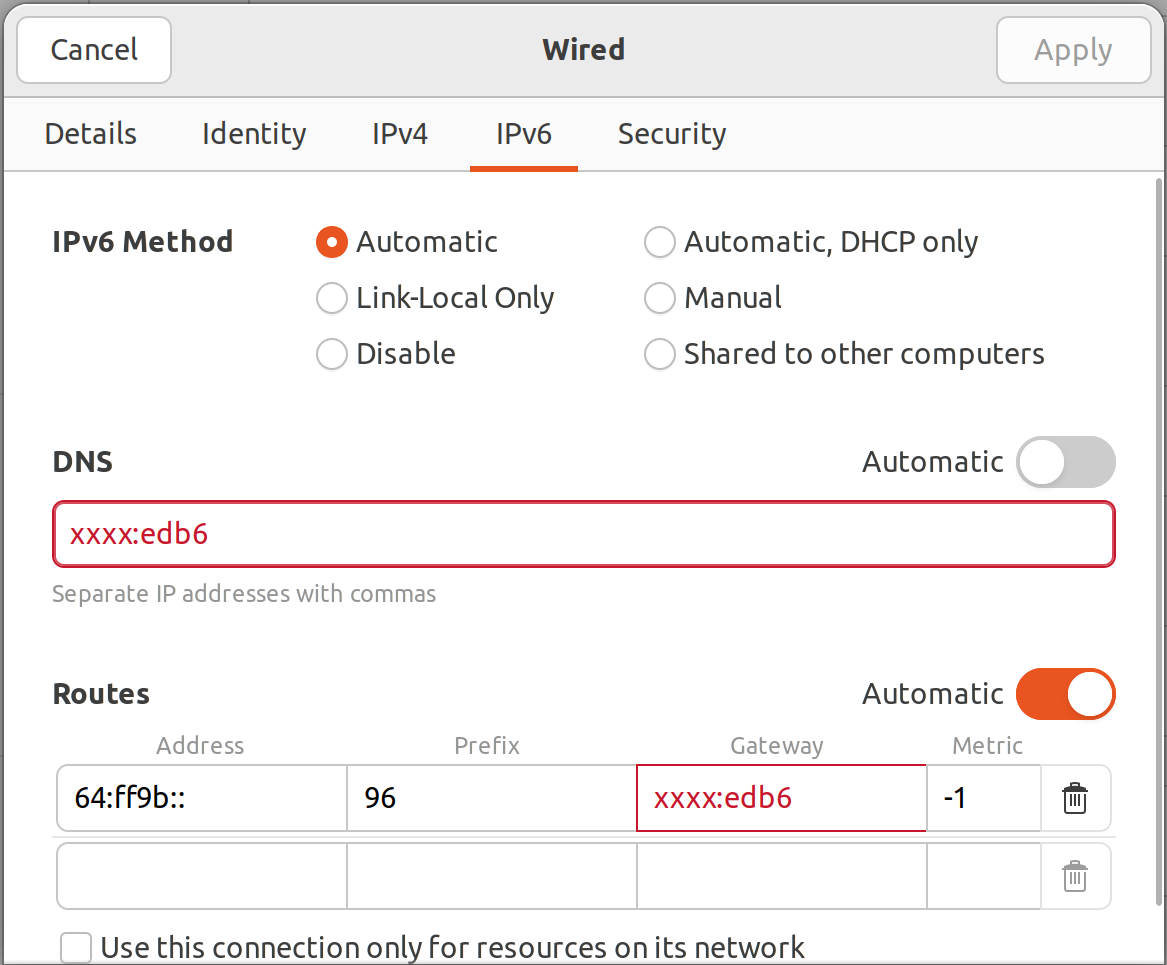
After that you need to change configuration for client machine in network manager (yes, using UI) that way:
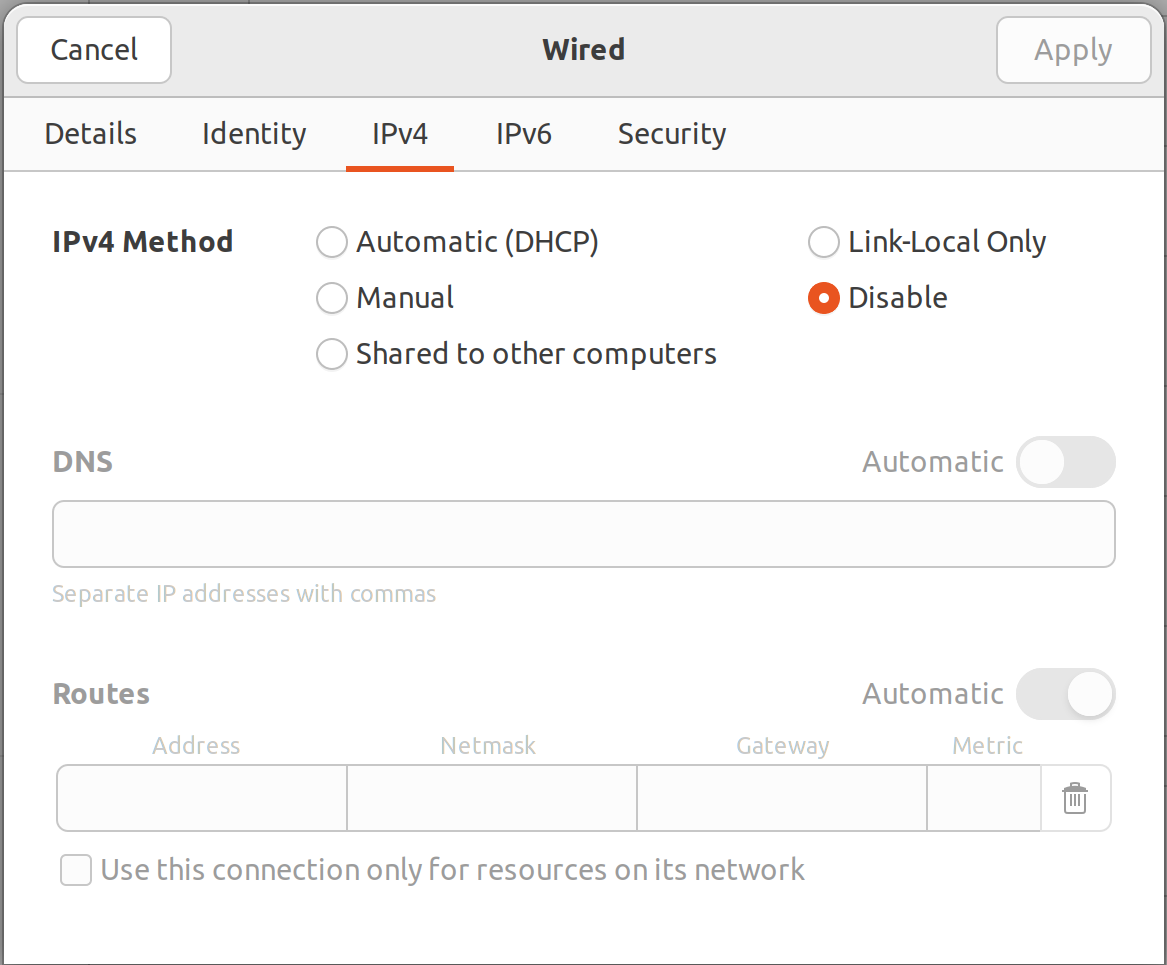
After that you can finally try disabling IPv4 this way:
And checking access to some IPv4 only site like
github.com.
Congrats! You may face some issues as some apps may not work and you will need to investigate root cause and kindly ask service provider to fix it.
My guide was based on
this one.
I have reworked this article and published it on my
new blog.